


- Mitglied seit
- 13. März 2021
- Beiträge
- 266
Hallo,
nur "exposed host zur Watchguard" in der Digibox aktivieren reicht scheinbar nicht, erinnert jemand spontan was fehlen könnte?
Details: Digibox Smart MGW
>macht T-DSL Einwahl
>hat ein exposed Host zur Watchguard
>v18 3cx on-prem Windows steht im lokalen Watchguard Netzwerk
>Netzwerkkarte steht auf privates Netzwerk statt öffentlich
>Windows Firewall ist testhalber deaktiviert
>noch kein 3rd Party Virenscanner installiert
- das es optimaler wäre wenn die Watchguard auch die Internet-Einwahl macht ist mir bekannt. Glaube das ist interne Watchguard DSL Modem ist nutzlos.
- Digibox Smart auf reinen Modem Betrieb wechseln geht vermutlich nicht.
Alleinige bisher bekannte Störung: vermutlich funktioniert 3cx Smartphone App nicht + Firewall Test rot
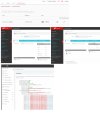
nur "exposed host zur Watchguard" in der Digibox aktivieren reicht scheinbar nicht, erinnert jemand spontan was fehlen könnte?
Details: Digibox Smart MGW
>macht T-DSL Einwahl
>hat ein exposed Host zur Watchguard
>v18 3cx on-prem Windows steht im lokalen Watchguard Netzwerk
>Netzwerkkarte steht auf privates Netzwerk statt öffentlich
>Windows Firewall ist testhalber deaktiviert
>noch kein 3rd Party Virenscanner installiert
- das es optimaler wäre wenn die Watchguard auch die Internet-Einwahl macht ist mir bekannt. Glaube das ist interne Watchguard DSL Modem ist nutzlos.
- Digibox Smart auf reinen Modem Betrieb wechseln geht vermutlich nicht.
Alleinige bisher bekannte Störung: vermutlich funktioniert 3cx Smartphone App nicht + Firewall Test rot
- resolving 'stun-eu.3cx.com'... done
- resolving 'stun2.3cx.com'... done
- resolving 'stun3.3cx.com'... done
- resolving 'sip-alg-detector.3cx.com'... done
- testing 3CX PhoneSystem 01 SIP Server... failed (How to resolve?)
- stopping service... done
- detecting SIP ALG... not detected
- testing port 5060... Mapping does not match 5060. Mapping is 39392. (How to resolve?)
- starting service... done
- testing 3CX PhoneSystem Media Server... failed (How to resolve?)
- stopping service... done
- testing port 5090... Mapping does not match 5090. Mapping is 51563. (How to resolve?)
- testing ports [9000..9398]... failed (How to resolve?)
- testing port 9000... Mapping does not match 9000. Mapping is 61705. (How to resolve?)
- testing port 9002... Mapping does not match 9002. Mapping is 56074. (How to resolve?)
- testing port 9004... Mapping does not match 9004. Mapping is 58815. (How to resolve?)
- testing port 9006... Mapping does not match 9006. Mapping is 61938. (How to resolve?)
- not match 10990. Mapping is 36048. (How to resolve?)
- ....................
- testing port 10992... Mapping does not match 10992. Mapping is 54719. (How to resolve?)
- testing port 10994... Mapping does not match 10994. Mapping is 54679. (How to resolve?)
- testing port 10996... Mapping does not match 10996. Mapping is 35453. (How to resolve?)
- testing port 10998... Mapping does not match 10998. Mapping is 50259. (How to resolve?)
- starting service... done
Zuletzt bearbeitet:


