Hi zusammen,
hi fxbastler,
erstmal ein Hallo ins Forum

, bin hier jetzt schon länger am lesen, eigentlich findet man für alles eine Antwort, super!
Jetzt habe ich aber ein Problem auf das ich keine Antwort finde. Das liegt aber eventuell auch an der mangelnden Erfahrung mit REST-API, Tokens usw.
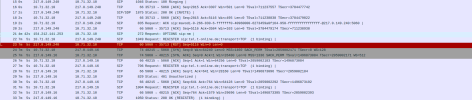
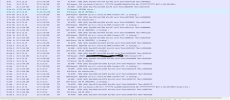
Wir haben auch das Problem, dass es zu Verbindungsabbrüchen bei den CoFlex Trunks kommt, die Trunks liegen alle nicht am eigentlichen Standort sondern bei uns in der Zentrale. Die Clients kommen also größtenteils von Extern über WAN in die Anlage, das läuft alles soweit auch ganz schick, bis auf die sporadischen Abbrüche, umschalten von TCP auf UDP hat auch nichts gebracht.
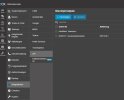
Jetzt habe ich versucht nach Deiner (fxbastler) Anleitung via REST-API den Trunk zu ändern, dass hat offensichtlich auch soweit funktioniert, er hat das Timeout auf 300 gestellt, leider ist der Trunk danach aber nicht mehr erreichbar. Er wird rot angezeigt und lässt sich dann nur noch löschen. Hat jemand eine Idee, was ich falsch mache?
Code:
$tcxurl="unserFQDN.on3cx.de"     # needs port if not 443

$jsonauthbody = (@{
    Username="UnserBenutzername"              # 3CX user, maybe email address
    Password="UnserPasswort" # 3CX user password
    SecurityCode=""
} | ConvertTo-Json)

Add-Type -AssemblyName Microsoft.VisualBasic

$LoginResponse = Invoke-RestMethod -Uri "https://$tcxurl/webclient/api/Login/GetAccessToken" -Body $jsonauthbody -Method POST -ContentType "application/json"

if( $LoginResponse.Status -ne "AuthSuccess" ) {
    Write-Host "abort: authentication not successful"
    exit -1
}

$headers = @{Authorization = "Bearer $($LoginResponse.Token.access_token)"}

$uri="https://$tcxurl/xapi/v1/Trunks"
$tcxtrunks=(Invoke-RestMethod -uri $uri -headers $headers -Method GET -ContentType "application/json").Value

Write-Host "found SIP trunks:"
Foreach( $tcxtrunk in $tcxtrunks) {
    Write-Host "trunk ID:  $($tcxtrunk.Id)       name:  $($tcxtrunk.Gateway.Name)"
}

$msg   = 'Welcher Trunk soll geaendert werden'
$tcxtid = [Microsoft.VisualBasic.Interaction]::InputBox($msg, 'get trunk ID')
$msg   = 'Timeout?'
$tcxret = [Microsoft.VisualBasic.Interaction]::InputBox($msg, 'get TimeBetweenReg time')


If( ($tcxtid -ne 0) -and  ($tcxtid.Length -ne 0) -and ($tcxret -ne 0) -and  ($tcxret.Length -ne 0)) {
    Write-Host "for the SIP trunk with ID  $($tcxtrunk.Id)  and name $($tcxtrunk.Gateway.Name) change the TimeBetweenReg to $tcxret"
    $uri="https://$tcxurl/xapi/v1/Trunks($tcxtid)"
    $tcxtbodyjson=@{Gateway=@{TimeBetweenReg=$tcxret}} | ConvertTo-Json
    Invoke-RestMethod -uri $uri -headers $headers -Method PATCH -body $tcxtbodyjson -ContentType "application/json"
    # show all trunk values
    Invoke-RestMethod -uri $uri -headers $headers -Method GET -ContentType "application/json"
}
Ergebnis:
found SIP trunks:
trunk ID: 30 name: WebMeeting bridge
trunk ID: 52 name: Standort1
(Der wurde gewählt und sollte geändert werden)
trunk ID: 55 name: Standort2
trunk ID: 65 name: Standort3
trunk ID: 71 name: Standort4
trunk ID: 74 name: Standort5
trunk ID: 84 name: Standort6
trunk ID: 119 name: Standort7
trunk ID: 127 name: Standort8
trunk ID: 184 name: Standort9
trunk ID: 187 name: Standort10
trunk ID: 207 name: Standort11
for the SIP trunk with ID 207 and name Standort11 change the TimeBetweenReg to 300
(?)
@odata.context :
https://unserfqdn.on3cx.de/xapi/v1/$metadata#Trunks/$entity
IsOnline : False
AuthID : +49199xxxxx
Direction : Both
ExternalNumber : +49xxxxxx
OutboundCallerID : +49xxxxxx
SimultaneousCalls : 10
DidNumbers : {+49xxxx, ...}
UseSeparateAuthId : True
SeparateAuthId :
[email protected]
SecondaryRegistrar : 55xxxxx.secondary.companyflex.de
PublicIPinSIP :
E164ProcessIncomingNumber : False
DiversionHeader : True
EnableInboundCalls : True
EnableOutboundCalls : True
IPRestriction : IPV4
TransportRestriction : TLS
PublishInfo : False
PublicInfoGroups : {GRP0001}
ReceiveInfo : False
RemotePBXPreffix :
TunnelEnabled : False
TunnelRemoteAddr :
TunnelRemotePort : 0
Tags : {}
DisableVideo : True
CertificateName :
Number : 10000
Id : 52
AuthPassword : @{Value=xXxXxXx}
Messaging : @{Enabled=False}
Gateway : @{Codecs=System.Object[]; DeliverAudio=True; DestNumberInRemotePartyIDCalled=False; DestNumberInRequestLineURI=True; DestNumberInTo=True; SRTPMode=SRTPEnforced;
Host=tel.t-online.de; ProxyHost=xxxxxxxxxxxxx.primary.companyflex.de; Internal=False; Lines=0; MatchingStrategy=MatchAnyFields; Name=Standort1;
OutboundCallerID=; Port=0; ProxyPort=5060; RequireRegistrationFor=InOutCalls; SupportReinvite=False; SupportReplaces=False;
TemplateFilename=telekomcompanyflex.pv.xml; TimeBetweenReg=
300; Type=Unknown; UseIPInContact=False; IPInRegistrationContact=External;
SpecifiedIPForRegistrationContact=; Id=7; InboundParams=System.Object[]; OutboundParams=System.Object[]; SourceIdentification=System.Object[];
VariableChoices=System.Object[]}
InCIDFormatting : {}
OutCIDFormatting : {}
TrunkRegTimes : {}
Wo kommt der in der Anlage erstellte Token denn eigentlich rein, oder verstehe ich das einfach falsch, habe mit Programmierung bisher leider wenig Erfahrung. Würde da aber gerne etwas fitter werden.
Die Verbindung wird ja offensichtlich hergestellt, leider aber der Trunk gekillt. Neustart hat auch nicht geholfen, musste das Backup einspielen, dann hat sofort alles wieder funktioniert.
Ich hoffe ich habe das alles einigermaßen schlüßig geschildert, Rückfragen sind ausdrücklich erwünscht.
Unser System:
3CX Enterprise V20 Update 6 (Build 724)
self hostet auf einer VM, einen SBS haben wir bisher nicht
bis jetzt 16 Sprachkanäle
bis jetzt 100 Teilnehmer
bis jetzt 10 Trunks (Telekom CoFlex Voicedata, aber auch verschiedene andere T-Com Trunks)
1x Plusnet Trunk, auf den sollen mittelfristig alle Außenstellen (alle innerhalb von Deutschland insgesamt ca. 60)
Endgeräte sind bunt gemischt von Auerswald über Snom bis Yeahlink