Wenn du schon in der Powershell Shell bist, dann wird ein
./3cx-powershell-example.ps1
funktionieren. Das Programm läuft dann genau 1x.
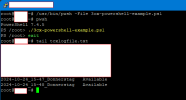
PS /root> ./3cx-powershell-example.ps1
./3cx-powershell-example.ps1: The term './3cx-powershell-example.ps1' is not recognized as a name of a cmdlet, function, script file, or executable program.
Check the spelling of the name, or if a path was included, verify that the path is correct and try again.
Ich muss doch erstmal das Script in der Datei hinterlegen oder nicht ?
Auf der Linux shell selber wird es mit
/usr/bin/pwsh -File 3cx-powershell-example.ps1
einmalig gestartet.
root@3cx:~# /usr/bin/pwsh -File 3cx-powershell-example.ps1
The argument '3cx-powershell-example.ps1' is not recognized as the name of a script file. Check the spelling of the name, or if a path was included, verify that the path is correct and try again.
Usage: pwsh[.exe] [-Login] [[-File] <filePath> [args]]
[-Command { - | <script-block> [-args <arg-array>]
| <string> [<CommandParameters>] } ]
[-CommandWithArgs <string> [<CommandParameters>]
[-ConfigurationName <string>] [-ConfigurationFile <filePath>]
[-CustomPipeName <string>] [-EncodedCommand <Base64EncodedCommand>]
[-ExecutionPolicy <ExecutionPolicy>] [-InputFormat {Text | XML}]
[-Interactive] [-MTA] [-NoExit] [-NoLogo] [-NonInteractive] [-NoProfile]
[-NoProfileLoadTime] [-OutputFormat {Text | XML}]
[-SettingsFile <filePath>] [-SSHServerMode] [-STA]
[-Version] [-WindowStyle <style>]
[-WorkingDirectory <directoryPath>]
pwsh[.exe] -h | -Help | -? | /?
PowerShell Online Help
https://aka.ms/powershell-docs
All parameters are case-insensitive.
root@3cx:~#